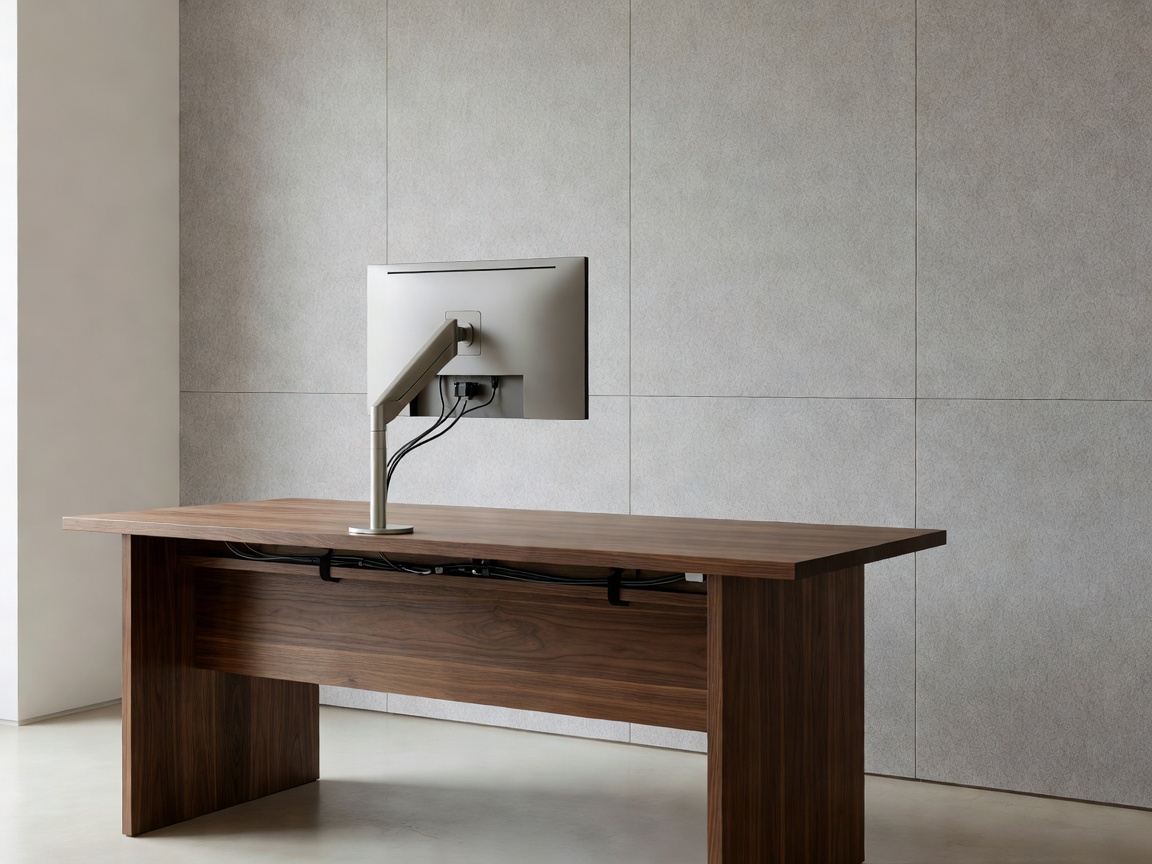
Remote work requires a dedicated workspace engineered for physical health and mental focus. A makeshift setup at a dining table or soft sofa often leads to musculoskeletal strain, cognitive fatigue from visual clutter, and poor video conference audio.
1. The Geometry of Neutral Posture Ergonomics
A productive workstation supports the human body in a neutral alignment, minimizing tension on spinal discs and connective tendons.
| Ergonomic Variable | Target Reference Measurement | Biomechanical Objective |
|---|---|---|
| Elbow / Desk Angle | 90° to 100° with relaxed shoulders | Prevents trapezius tension and carpal tunnel compression |
| Top-of-Monitor Height | Directly at or 20mm below eye level | Eliminates cervical spine forward-tilt and neck strain |
| Viewing Distance | 500mm to 700mm (Arm's reach) | Maintains clear focal accommodation without leaning |
| Footrest & Thigh Angle | Feet flat on floor; thighs parallel at 90°–100° | Promotes femoral venous circulation and reduces lumbar load |
2. Structured Under-Desk Cable Management
Visual clutter increases cortisol levels and creates unnecessary daily friction. A proper workstation requires complete containment of power bricks, display cables, and network lines.
- Under-Desk Cable Trays: Mount a powder-coated steel wire basket or enclosed cable raceway directly to the underside of the desk surface.
- Single Power Umbilical: Route a single heavy-gauge multi-outlet surge protector into the tray. All device transformers plug into this central hub, leaving only one clean umbilical cord running down to the wall outlet.
- Articulated Cable Spines: If using a motorized sit-stand desk, use a flexible magnetic or weighted cable vertebrae spine to protect wires during height transitions.
3. Acoustic Attenuation & Sound Dampening
In home environments with hard floors and plaster walls, audio reverberation can make video meetings tiring and reduce concentration. Adding acoustic management restores clarity.
Decorative Acoustic Wood Slat Panels
Installing decorative acoustic panels constructed from real wood veneer slats over recycled PET felt backings absorbs flutter echoes in speech frequencies (500Hz–2000Hz). Mounting these behind your monitor setup improves both your vocal clarity on calls and the room's aesthetic.
4. Asymmetric Task Lighting & Glare Reduction
Eye fatigue during extended screen sessions often stems from excessive luminance contrast between bright monitor panels and dark room walls.
Avoid placing your desk directly facing an uncovered window, where daylight creates extreme glare. Position your desk perpendicular (90 degrees) to natural light sources. Mount a screen bar lamp or balanced arm task light that illuminates the desktop surface without reflecting directly off the screen glass.
Recommended Hardware
- Gas-spring monitor arms with tilt and swivel tension control.
- Fully adjustable task chairs with active lumbar depth settings.
- Dual-motor sit-stand frames with anti-collision sensors.
Workplace Habits to Avoid
- Using dining chairs with fixed vertical backs and hard seats.
- Placing desktop towers directly on deep carpet (restricts intake airflow).
- Working with laptop keyboards flat on the desk for prolonged sessions.
5. Environmental Zoning & End-of-Day Rituals
When an office shares a bedroom or living space, psychological separation is essential. Implement smart plug schedules that automatically turn off desk monitors and accent lighting at the end of the workday, creating a distinct boundary between work hours and relaxation.